What is VPS Hosting? If you’re looking for web hosting and have started comparing shared hosting, VPS hosting, and dedicated servers, you may be wondering what a VPS actually is and whether you need one.
A Virtual Private Server (VPS) gives you many of the benefits of a dedicated server while using virtualization technology to share the physical hardware with other customers. You get dedicated resources, greater control, and more flexibility than traditional shared hosting — usually at a much lower cost than renting an entire physical server.
But is a VPS right for you?
In this guide, we’ll explain what VPS hosting is, how it works, how it compares with shared and dedicated hosting, and when upgrading to a VPS makes sense.
What Is VPS Hosting?
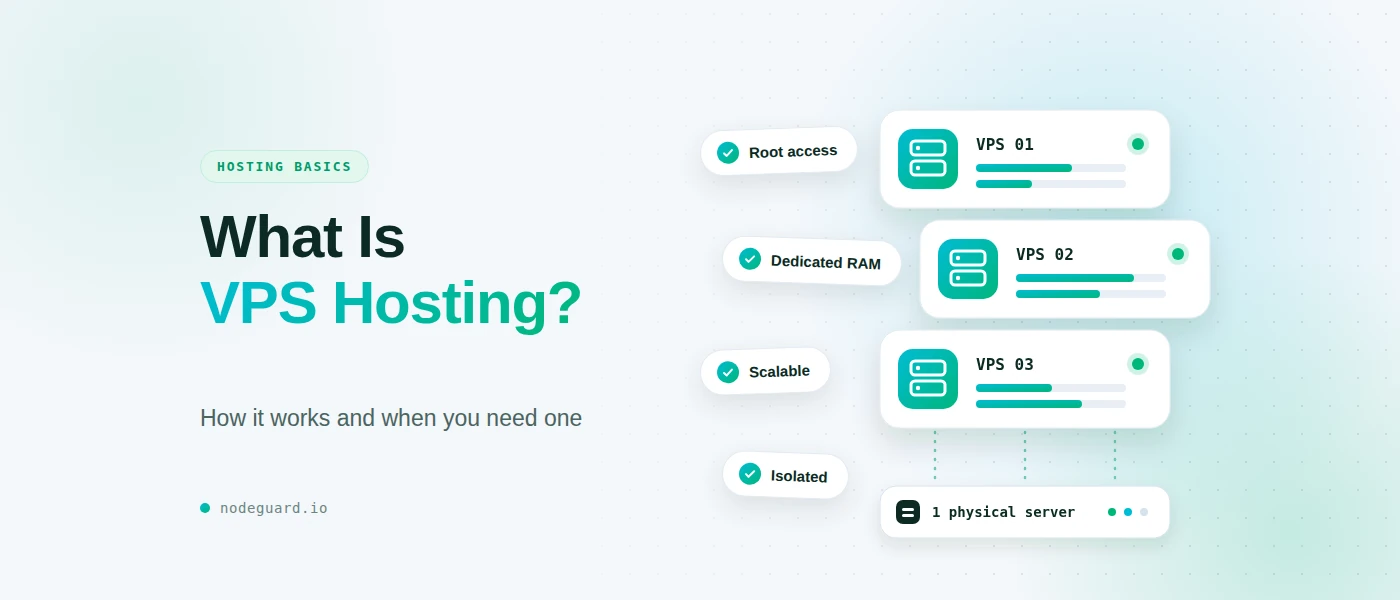
VPS hosting is a type of web hosting where a physical server is divided into multiple isolated virtual servers using virtualization technology.
Each virtual server operates independently and has its own allocated resources, operating system, storage, and networking environment.
Think of a physical server as a large building. Instead of renting the entire building, virtualization divides it into separate private apartments. Each customer has their own apartment with their own space and access, while the underlying building and physical hardware are shared.
This is fundamentally different from traditional shared hosting.
With shared hosting, many websites typically share the same hosting environment and compete for resources. With a VPS, your virtual server provides a much more isolated environment and gives you significantly greater control over how the server is configured and used.
Depending on the VPS provider and plan, you may receive resources such as:
- Dedicated or guaranteed CPU resources
- Allocated RAM
- NVMe or SSD storage
- A private virtual server environment
- Your own operating system
- Root or administrator access
- Configurable networking and firewall rules
- The ability to install your own software
This makes VPS hosting particularly useful for websites, applications, development environments, databases, VPNs, game servers, and many other workloads.
How Does a VPS Work?
A VPS is created using server virtualization.
A physical server runs a virtualization layer called a hypervisor. To understand the underlying concepts, you can learn more about how virtualization works.
The hypervisor allows the physical machine’s hardware resources to be divided between multiple virtual machines. Each VPS behaves much like an independent physical server.
For example, imagine a physical server with:
- 16 CPU cores
- 64 GB RAM
- 2 TB NVMe storage
The virtualization platform can create multiple VPS instances on that server. One VPS might be allocated 4 CPU cores and 16 GB RAM, while other VPS instances receive their own allocations.
The customers generally don’t need to know that other virtual servers exist on the same physical machine. Their VPS has its own operating system and environment.
This isolation is one of the main reasons VPS hosting is more flexible than shared hosting.
You can install software, configure services, manage users, change firewall rules, and customize the operating system without affecting other customers on the physical server.
The exact level of resource isolation depends on the provider and virtualization technology, so it’s important to understand what a VPS provider actually guarantees rather than assuming every VPS works the same way.
VPS vs Shared Hosting
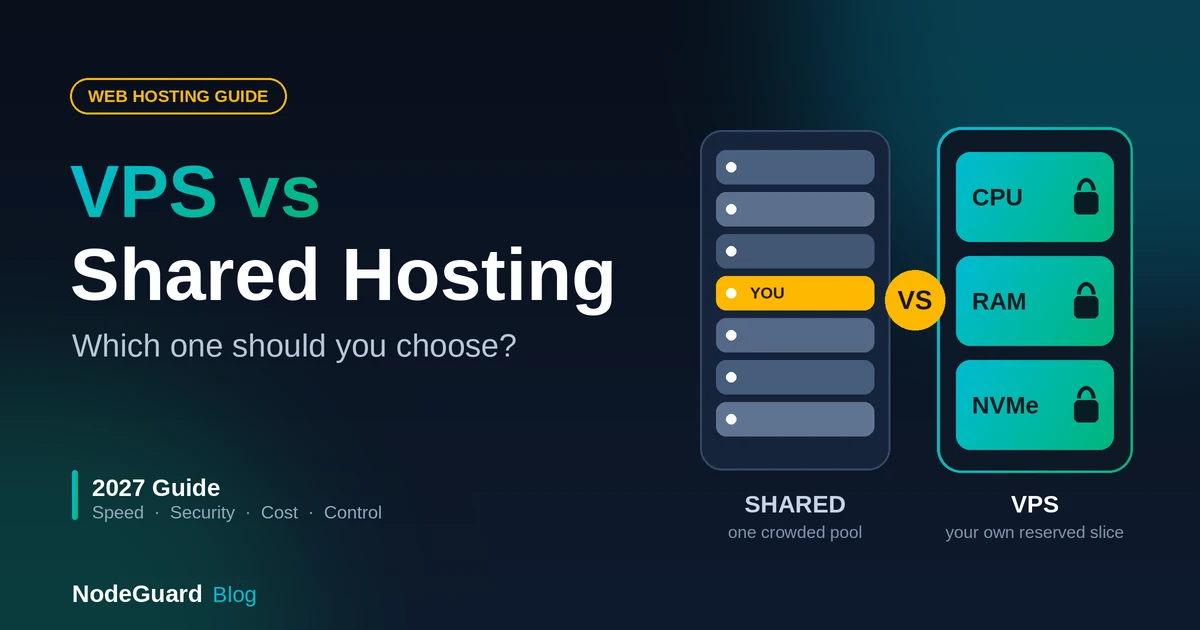
The biggest difference between VPS hosting and shared hosting is control and isolation.
With shared hosting, the hosting company manages a common hosting environment used by many customers. This makes shared hosting simple and inexpensive, but it also means you have limited control over the server.
A VPS gives you your own virtual server environment and much greater control.
| Feature | Shared Hosting | VPS Hosting |
|---|---|---|
| Server environment | Shared | Isolated virtual server |
| Operating system control | Limited | High |
| Root/administrator access | Usually no | Usually available |
| Resource allocation | Shared | Allocated resources |
| Software installation | Limited | Much more flexible |
| Server configuration | Limited | Extensive |
| Technical knowledge required | Low | Moderate to high |
| Typical cost | Lower | Higher |
Shared hosting can be perfectly suitable for a small personal website, portfolio, or simple website with modest traffic.
However, as a website or application becomes more demanding, the limitations of shared hosting can become increasingly noticeable.
A VPS gives you room to configure the environment around your specific requirements.
For a deeper comparison, see our upcoming guide on VPS vs Shared Hosting.
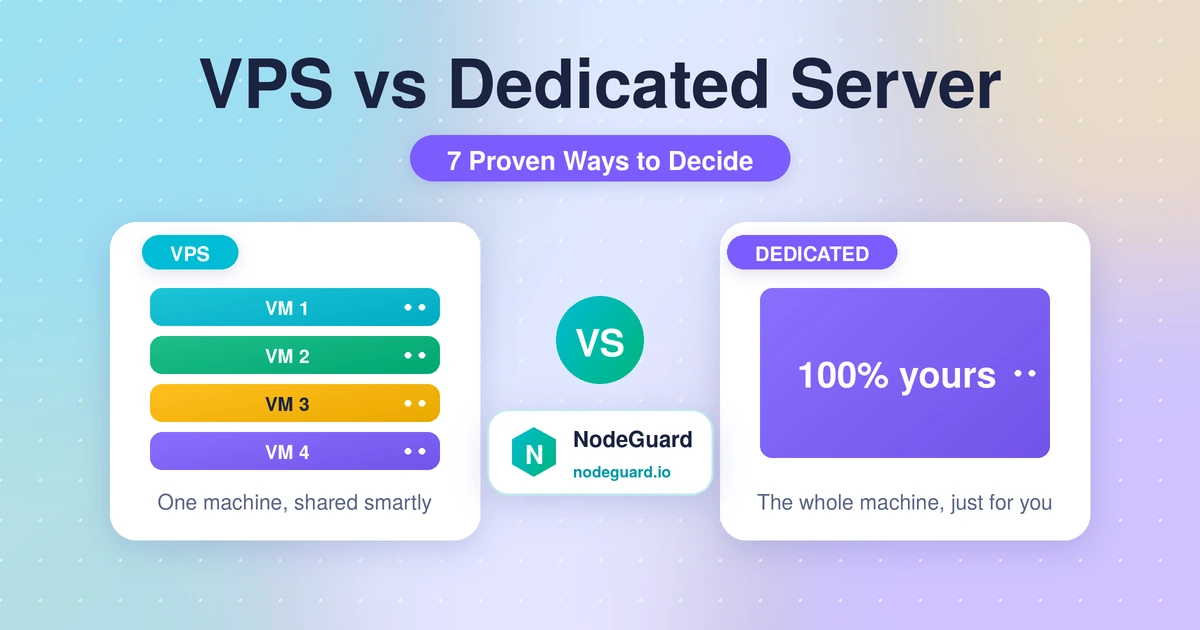
VPS vs Dedicated Server
A dedicated server gives you an entire physical server exclusively for your workloads.
A VPS, on the other hand, is a virtual server running on shared physical hardware.
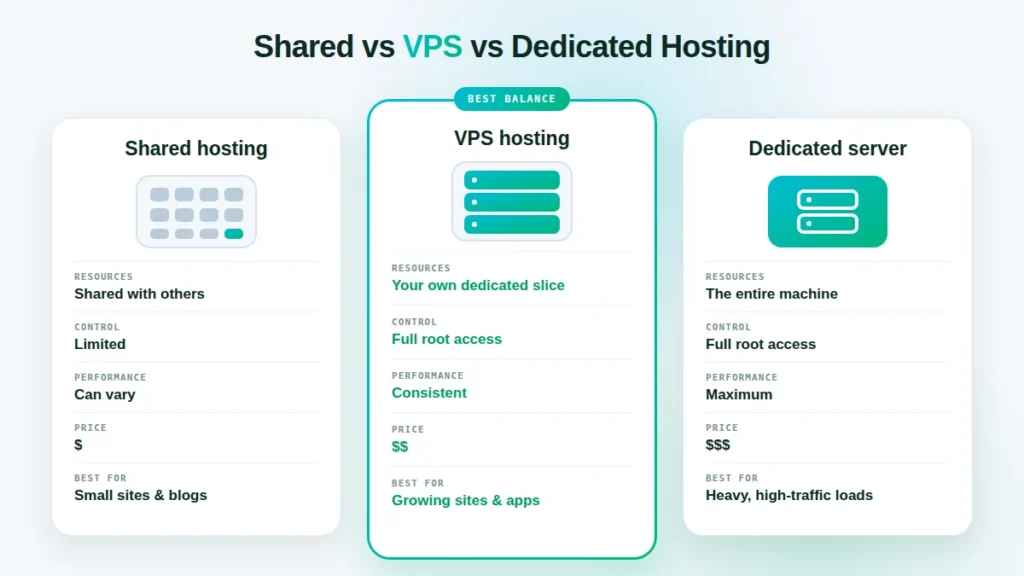
That means dedicated servers generally provide more total hardware resources and complete physical-server control, while VPS hosting offers many of the benefits of a dedicated environment at a lower price.
| Feature | VPS | Dedicated Server |
|---|---|---|
| Physical hardware | Shared | Entire server |
| Isolation | Virtual | Physical |
| Performance potential | High | Very high |
| Scalability | Easy | Requires hardware changes |
| Cost | Lower | Higher |
| Management flexibility | High | Very high |
| Suitable for | Small to medium workloads | Large or demanding workloads |
For many businesses and developers, a VPS provides the right balance between performance, flexibility, and cost.
A dedicated server becomes more attractive when an application requires substantial hardware resources, very high and consistent performance, specialized hardware, or complete physical isolation.
We’ll cover this comparison in more detail in our dedicated guide on VPS vs Dedicated Server.
When Do You Need a VPS?
Not every website needs a VPS.
If you’re running a small website with relatively low traffic and don’t need server-level control, shared hosting may be completely sufficient.
A VPS becomes more attractive when you need more resources, greater control, or a customized server environment.
Here are some common situations where a VPS makes sense.
1. Your Website Has Outgrown Shared Hosting
If your website is becoming larger or receiving more traffic, you may eventually reach the practical limits of shared hosting.
A VPS gives you more resources and greater control over the hosting environment.
This can be especially useful for growing business websites, online stores, content platforms, and applications.
2. You Need Root Access
Shared hosting environments normally restrict what you can install and configure.
With a VPS, you can typically have root or administrator access.
That allows you to install specific software, configure services, manage security settings, customize the web server, and make operating-system-level changes.
For developers and system administrators, this level of control can be extremely valuable.
3. You Need to Run Custom Software
Some applications require specific versions of operating systems, programming languages, databases, web servers, or other software.
A VPS gives you much more freedom to build the environment you need.
Instead of adapting your application to the restrictions of a shared hosting environment, you can configure the server around the application.
4. You Want to Host Multiple Services
A VPS doesn’t have to host just one website.
Depending on its resources and configuration, a VPS can host multiple websites, applications, databases, development environments, monitoring tools, VPN services, or other workloads.
This can make a VPS an efficient option for developers and technically experienced users.
5. You Need More Predictable Resources
On shared hosting, many customers use the same underlying environment.
A busy website or resource-intensive workload elsewhere on the platform can potentially affect the overall environment.
VPS hosting provides allocated resources and a more isolated environment, which can make performance more predictable.
The exact guarantees depend on the VPS provider and plan, so always check how CPU, RAM, storage, and network resources are allocated.
Who Is VPS Hosting Best For?
VPS hosting is particularly useful for:
- Growing business websites
- Developers
- System administrators
- Web agencies
- Online stores
- SaaS applications
- Self-hosted applications
- Database workloads
- Development and testing environments
- VPN servers
- Game servers
- Users who need root access and server-level control
However, there is an important trade-off.
A VPS gives you more control, but that control also means more responsibility.
If you choose an unmanaged VPS, you may be responsible for operating-system updates, security configuration, backups, monitoring, firewall rules, software updates, and troubleshooting.
If you don’t want to manage those responsibilities yourself, managed hosting may be a better option.
Advantages of VPS Hosting / VPS Hosting Benefits
VPS hosting offers several important advantages over traditional shared hosting.
Greater Control
You can configure your virtual server according to your requirements and typically have root or administrator access.
Better Isolation
Your VPS operates in an isolated virtual environment rather than sharing the same hosting environment with other websites.
Scalability
As your requirements grow, you can often upgrade your VPS resources without moving to an entirely different physical server.
Flexibility
You can install and configure the operating system, web server, databases, applications, security tools, and other software you need.
Cost Efficiency
A VPS can provide many dedicated-server-like capabilities without requiring you to rent an entire physical server.
Suitable for Many Workloads
A VPS can support far more than a basic website. It can be used for applications, databases, development environments, VPNs, game servers, monitoring, and other services.
Disadvantages of VPS Hosting
VPS hosting isn’t automatically the best solution for everyone.
More Technical Knowledge
Managing a VPS requires more knowledge than managing basic shared hosting.
You may need to understand Linux, networking, security, DNS, web servers, updates, and backups.
More Responsibility
With greater control comes greater responsibility.
An unmanaged VPS can require you to handle security patches, configuration, monitoring, backups, and troubleshooting yourself.
Higher Cost
A VPS normally costs more than entry-level shared hosting because you receive more resources and greater control.
Poor Configuration Can Cause Problems
Having root access doesn’t automatically make a server secure or fast.
A badly configured VPS can be vulnerable to attacks, suffer from performance problems, or lose data if backups aren’t properly implemented.
For this reason, choosing appropriate resources and following good server-management practices is important. If you’re running Ubuntu, review the official Ubuntu Server security recommendations for guidance on protecting your server.
What Should You Look for When Choosing a VPS?
Not all VPS hosting plans are the same.
Before choosing a provider, consider the following:
CPU and RAM
Look at the number and type of CPU resources available and how much RAM is included.
Don’t choose based only on the advertised number of virtual CPU cores. Understanding whether resources are dedicated, shared, or subject to limits can be equally important.
Storage
SSD and especially NVMe storage can provide significantly faster storage performance than traditional HDDs.
Consider both the capacity and the underlying storage technology.
Backups
A VPS should not be considered automatically backed up simply because it is hosted by a provider.
Check whether automated backups are included, how frequently they run, how long they are retained, and whether you can restore individual servers or data when needed.
For important workloads, maintaining an independent backup strategy is also a good practice. Review these backup and recovery best practices to understand how to plan for data recovery.
Network Performance
Consider the provider’s network capacity, connectivity, data-transfer limits, and the geographic location of the VPS.
The best location depends on where your users and applications are located.
Network security is also important when choosing a VPS provider. Understanding how DDoS attacks work can help you evaluate the importance of network-level protection.
Virtualization Technology
Ask what virtualization technology is being used and how resources are allocated.
This can help you understand the level of isolation and performance you can realistically expect.
Support
Technical support can be particularly important if you are new to VPS management.
Check what level of support is included and whether the provider offers managed services or assistance with infrastructure-related issues.
When Do You Need a VPS?
The answer depends on what you’re trying to accomplish.
If you simply need a basic website with minimal configuration and don’t want to manage a server, shared hosting may be the better choice.
If you need more control, dedicated resources, custom software, root access, or a flexible environment, a VPS may be the right next step.
And if your workloads have grown to the point where you need an entire physical machine and substantial dedicated resources, a dedicated server may eventually make more sense.
The important thing is to choose hosting based on your actual requirements rather than simply choosing the most powerful option available.
Frequently Asked Questions About VPS Hosting
Is a VPS the same as a dedicated server?
No. A VPS is a virtual server running on shared physical hardware, while a dedicated server gives you an entire physical server.
A VPS can provide strong isolation and control at a lower cost, while a dedicated server provides access to the complete physical machine.
Is VPS hosting better than shared hosting?
It depends on your needs.
VPS hosting provides greater control, isolation, and flexibility, but it also costs more and generally requires more technical knowledge.
For a simple website, shared hosting may be sufficient. For applications and users requiring server-level control, a VPS is often a better fit.
Do I need technical knowledge to use a VPS?
For an unmanaged VPS, some technical knowledge is strongly recommended.
You may need to manage the operating system, security, software updates, networking, backups, and other server components.
A managed VPS can reduce the amount of server administration you need to handle yourself.
Can I host a website on a VPS?
Yes. Hosting websites is one of the most common uses for a VPS.
You can install a web server such as Nginx or Apache and configure PHP, databases, SSL certificates, DNS, security tools, and other components required by your website.
Can I upgrade my VPS later?
In many cases, yes. VPS providers commonly allow you to increase resources such as CPU, RAM, and storage as your requirements grow.
The exact upgrade options depend on the provider and infrastructure.
Final Thoughts
A Virtual Private Server is a powerful middle ground between shared hosting and a dedicated server.
You get a much more flexible and isolated environment than traditional shared hosting, without the cost of renting an entire physical server.
For developers, businesses, system administrators, and technically experienced users, a VPS can provide an excellent combination of control, performance, scalability, and cost efficiency.
But a VPS isn’t automatically the right choice for every website. If you don’t need server-level control or don’t want the responsibility of managing a server, simpler hosting may be a better option.
If you’re ready for more control over your hosting environment, explore NodeGuard VPS hosting and choose a VPS configuration that fits your workload.
And if you’re new to server management, stay with NodeGuard Academy as we explore the practical side of VPS hosting — from choosing the right VPS to setting up, securing, monitoring, and backing up your Linux server.